
Magic Mac Cleaner
appdeve · Utilities
Mac
Frees space on your Mac: caches, logs, leftovers of removed apps, old downloads and large files. Uninstalls apps together with their files.
Screenshots
Description
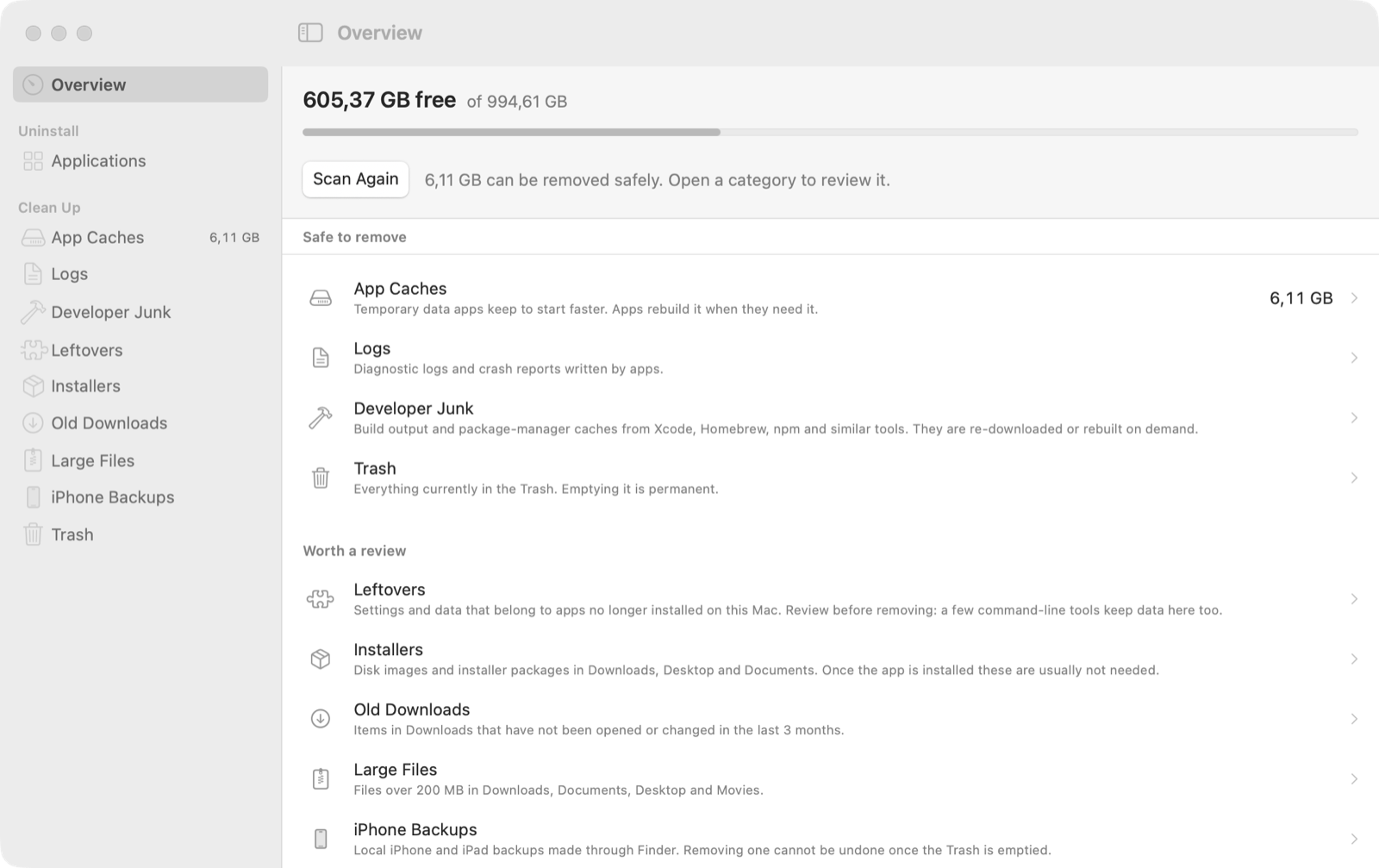
Magic Mac Cleaner scans the disk and sorts what is safe to remove from what is worth a review. Each category says what it holds before anything is deleted.
When you uninstall an app, it also finds the app's settings, caches and containers in the Library folder, so no files stay behind.
What it does
- App caches and logs
- Developer junk (Xcode, Homebrew, npm)
- Leftovers of removed apps
- Installers and old downloads
- Large files and iPhone backups
- Uninstall apps with their related files
System requirements
Mac
macOS 13 Ventura or later, Intel or Apple silicon Mac
First launch
The apps are not yet signed with a paid developer certificate, so the system asks you to confirm the first launch. You do this only once.
On a Mac
- Open the downloaded .dmg file and drag the app into the Applications folder.
- On first open, macOS says it could not verify the developer. Click Done.
- Open System Settings, then Privacy & Security, and scroll down. Next to the app, click Open Anyway.
- Confirm with your password or Touch ID. From then on the app opens like any other.
Additional information
- Publisher
- appdeve
- Price
- Free
- Category
- Utilities
- Version
- 1.1.0
- Updated
- 19 November 2026
- Size
- Mac 2.0 MB
- Languages
- English
- Platforms
- Mac